CallRail Introduces LinkedIn Ads Integration: What MSPs Should Know
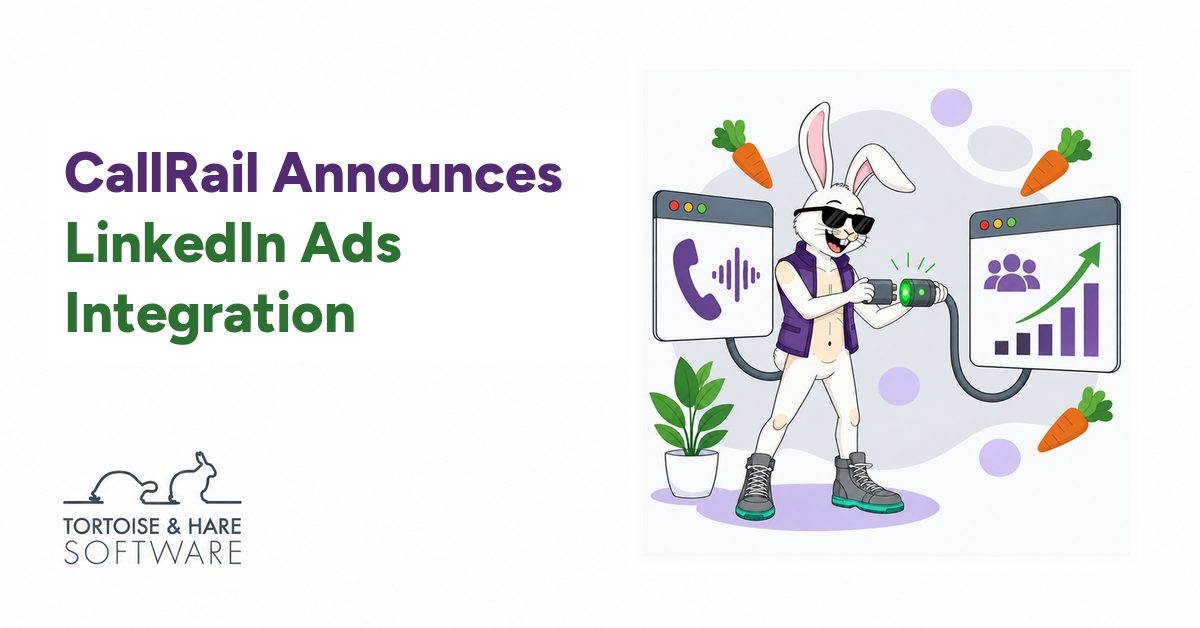
We’ve been championing a LinkedIn Ads integration with the CallRail team for over three years, and it’s finally here. If you’re paying for LinkedIn ads, you want to know when that spend turns into a sales conversation. CallRail’s new integration sends tracked calls, texts, and form submissions into LinkedIn as conversions. The integration is currently in beta.
We’ve long seen value in LinkedIn Ads for MSPs. Proving that value has been harder, especially when prospects pick up the phone. In our experience with MSP marketing, phone calls often account for roughly half of inbound leads. When that much of the response is difficult to connect back to your ads, you’re left making decisions with a large piece of the picture missing.
Missing phone conversions also deprives LinkedIn’s bidding algorithms of signals they need to optimize ad delivery. That has made it harder for us to build successful conversion-focused campaigns and justify their often higher cost per click. It’s a major reason we’ve leaned toward smaller budgets for engagement and website traffic campaigns.
Over Three Years Of Pushing For This Integration
I first requested a LinkedIn Ads integration from CallRail on February 2, 2023. I followed up in July 2023 and again in January 2024. When the team said the request had been backlogged, I pushed back on the decision and even asked about building an integration ourselves.
We kept championing this because it would help connect two tools we use to market B2B technology businesses. If an MSP invests in LinkedIn ads and a prospect picks up the phone, that response should help inform the next campaign decision. A direct connection between CallRail and LinkedIn has been high on our wish list for that reason.
On September 21, 2026, CallRail returned to the thread to confirm that the integration was finally available, woohoo!. Other customers had added their support along the way, too. I’m glad to see the CallRail team bring this one to life, and we’re pleased to have kept advocating for it.
A Big Step Forward For LinkedIn Ads In The MSP Industry
The gap in inbound phone-call tracking has been a major frustration for us as an agency serving MSPs. A prospect can click an ad, read your service page, and call to discuss a managed services contract. If that call doesn’t make it back into your ad reporting, a campaign that helped start a sales conversation can look like it only produced a website visit. That makes it harder to defend the budget and decide where to invest next.
When calls often make up roughly half of your inbound leads, weak phone conversion tracking leaves a major gap in how you judge performance. The exact mix varies by MSP and campaign, but it’s too large a share to treat as an afterthought. With call tracking for MSPs, you can connect those conversations to their marketing sources and review how your team handles them.
That’s why I see this integration as a big leap forward in the case for running LinkedIn Ads as an MSP. LinkedIn already had value as a way to reach potential buyers and stay in front of them. A direct connection with CallRail gives us a better way to measure phone inquiries and feed those results back into campaign optimization. Matching still depends on the available data, so it won’t account for every call, but it’s a meaningful step toward more complete measurement.
Missing Phone Leads Makes Conversion Bidding Harder
Conversion-focused campaigns rely on feedback about who takes the action you’re paying to generate. When a prospect calls and that conversion isn’t sent back to LinkedIn, the platform misses a useful signal about who responded. With fewer signals to learn from, it’s harder to tune bidding and ad delivery toward people likely to become leads. For MSPs that receive a large share of inquiries by phone, that gap can make successful campaigns harder to build.
This has directly shaped how we use LinkedIn Ads. In our experience, conversion-focused campaigns often carry a higher cost per click. Paying that premium is harder to justify when the system can’t learn from a large share of the leads coming in. We’ve therefore steered more toward smaller budgets for engagement and website traffic campaigns, using LinkedIn to reach potential buyers and bring them back to our clients’ websites.
Those campaigns still have a useful role. But optimizing for clicks or engagement gives the platform a different task from finding people likely to contact your sales team. We’ve wanted a stronger foundation for testing conversion-focused campaigns, and getting inbound phone leads back into LinkedIn is an important part of that.
With the CallRail integration, successfully matched phone conversions can add to the signals available for attribution and optimization. That gives us a reason to revisit conversion-focused campaigns and test whether more complete feedback improves the cost and quality of leads. Results will still depend on match rates, conversion volume, and the quality of the events we send.
What The CallRail LinkedIn Ads Integration Does
The connection identifies LinkedIn Ads as a source in CallRail. Matching depends on available click IDs, hashed emails, and names; a phone number alone isn’t enough. A first-time contact filter covers calls and texts, but not forms.
What You Need Before Activating The Integration
Before you connect CallRail to LinkedIn Ads, you’ll need ad account access, a conversion rule, and tagged ad URLs.
Create Your Call Conversion In LinkedIn
Create a conversion rule in Campaign Manager to receive your call events. Choose Conversion API and Direct API as the source during beta. CallRail won’t create the rule for you. You’ll also need permission to manage the ad account.
Give the rule a name your team can recognize, such as “CallRail Phone Inquiry.” That makes its purpose easier to understand when you’re reviewing results or selecting the rule during setup.
Set Up UTM Tagging On Your Ad URLs
Add UTM parameters to your LinkedIn ad destination URLs before connecting. Without them, the integration can appear connected but send no conversions.
UTM tags are labels added to a URL that identify the source, medium, and campaign behind a visit. We recommend consistent names across your ads so your reports stay readable. Check that the tags survive any redirects and that the destination page still loads as expected.
Get Help With Conversion Setup And Tracking
Tortoise and Hare Software can help you create the LinkedIn call conversion, set up consistent UTM tagging, and test the connection. If you’re already running ads, we can review your existing tracking first so the new setup fits with how you’re measuring inquiries. You don’t have to figure out the conversion settings and URL tags on your own.
How To Activate The CallRail LinkedIn Ads Integration
Have your LinkedIn ad account access, conversion rule, and tagged ad URLs ready, then follow the video below to activate the integration.

What We’re Testing Next
We’re excited to test this integration in some of our clients’ LinkedIn Ads campaigns, including fresh tests of conversion-focused bidding. We’ll be looking at phone lead attribution, cost per qualified lead, and whether the added conversion signals help us build more successful campaigns. We’ll report back on the results and share what we learn as new information becomes available.
Connect Your LinkedIn Ads To Better Sales Decisions
For MSPs that have struggled to prove the return on LinkedIn Ads, this release is a strong reason to revisit how you’re tracking results. At Tortoise and Hare Software, our LinkedIn Ads services for MSPs help you build campaigns around the businesses you want to reach. Pair that campaign strategy with a consistent process for reviewing inquiries, and your next marketing decision has a stronger foundation.
Need help setting up your CallRail LinkedIn Ads integration, call conversion, or UTM tags? Book a free consultation.
About The Author