Domain Quality Scores: Does Your Tech Firm’s Website Pass The Test?
Your website looks good. The homepage explains your business, the service pages are current, and the menu takes buyers where they need to go. Yet search isn’t bringing in the leads you expected. Before you rewrite those same pages again, there’s a question worth asking: what else is still living on your domain?
A tech firm can spend years building a website and then judge its quality by the eight pages in the main navigation. Meanwhile, old blog posts, retired offers, campaign pages, and forgotten downloads remain online. The team has moved on. The URLs haven’t.
Your website is bigger than your navigation. Google uses site-wide quality signals alongside signals about each page. If you only review the pages your sales team shares, you’re leaving part of your search presence out of the picture.
What Is A Domain Quality Score?
A domain quality score describes Google’s internal assessment of quality across a website. Google’s ranking systems guide confirms that site-wide signals contribute to how it ranks individual pages. You won’t find Google’s internal quality scores in Search Console.
Much of what we know about these systems comes from information beyond Google’s public SEO guidance. In May 2024, an API documentation leak exposed internal fields related to site quality and authority. SEO researchers also study testimony, internal documents, and exhibits made public through lawsuits against Google.
Those records describe Q-star, Google’s quality signal for assessing page quality and trustworthiness. Notes from a Google engineer’s interview, filed as a court exhibit, describe a quality assessment tied primarily to the site, which carries across different searches. That helps explain why improving one service page isn’t a substitute for maintaining quality across your website.
What The Leaked Google Documentation Shows
The exposed Content Warehouse API docs give us more evidence of how Google judges quality. The documentation includes a site-authority field applied in Q-star and a field that describes the spread of page-quality ratings across a site.
| Documented Field | What It Describes |
|---|---|
siteAuthority | A site-authority signal used in Q-star. |
siteQualityStddev | How much page-quality ratings vary across a site. |
You can see these fields in the archived site-authority documentation and site-quality data documentation. Together, these fields show that Google assesses both site authority and the variation in quality across your pages. A strong homepage is only one part of that picture.
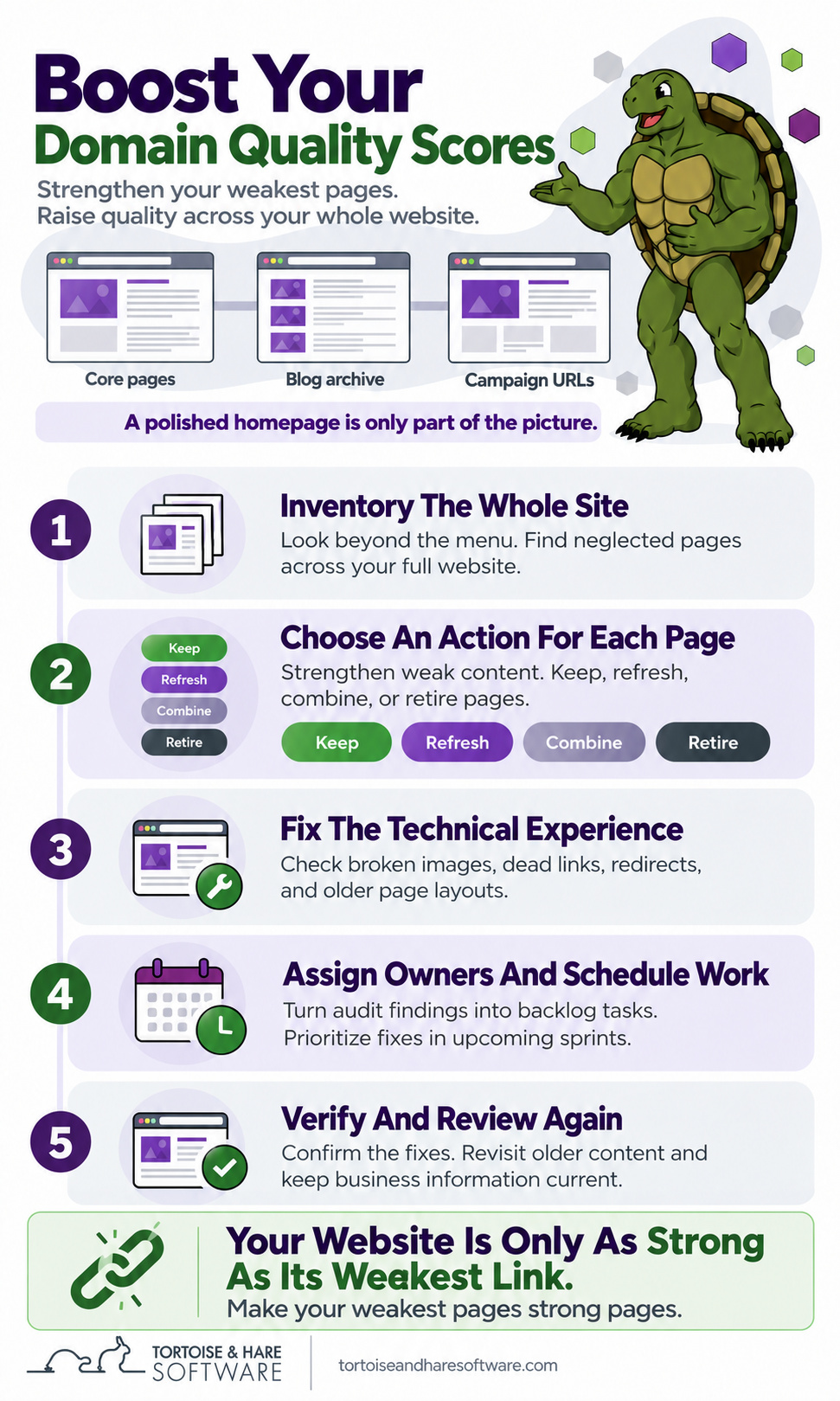
For your business, this means reviewing the full content library. Your blog archive, legacy landing pages, and campaign URLs all belong in that review.
The Pages Your Team Forgot Are Still Part Of Your Website
Consider an example IT firm with eight pages in its main navigation and 240 other public URLs. The owner signs off on the homepage and service pages after a redesign. But the business also has a large archive of articles, old campaign offers, and service pages from before it changed focus. The redesign improved the pages everyone sees first; the rest still needs a review.
Taking a page out of the menu doesn’t take it offline. Google can discover URLs through other links, sitemaps, and pages it already knows about. A published campaign page can stay live long after the ads stop running, remaining available to search engines and potential buyers.
When Publishing Outpaces Maintenance
In our work with MSPs and other B2B tech firms, we see a strong focus on the next blog post. What’s the next topic? What can we publish this month? That focus keeps new content moving, but older pages often get little attention once they’re live.
Your homepage and core service pages might look great while the rest of your website slowly falls behind. Images stop loading. External links point to 404 pages because another company deleted or moved the resource you cited. An older landing page still has a styling problem that your team already fixed on the main service pages.
These problems build up quietly. If nobody regularly visits those pages, they can sit unnoticed for years. As your content library grows, maintaining what you’ve already published needs a place alongside creating something new.
Make Your Weakest Pages Stronger
The goal is a website that meets a high standard wherever someone lands. If your homepage shows expertise but much of your archive contains thin advice, broken resources, and outdated claims, you have a gap between your best pages and your weakest ones.
The siteQualityStddev field describes that variation in page quality. Think of it as the distance between the quality of different pages on your site. A polished set of service pages and a neglected archive create an uneven experience. Your goal is consistently high quality across the site.
Our working view is that raising the quality of your weakest pages belongs in the same SEO strategy as improving your strongest ones. That approach supports the broader site-quality and authority signals we’ve discussed. Make your weakest link a strong link. Build a website whose depth supports the impression your homepage creates.
Google’s core update guidance reinforces this approach by recommending a review of the site as a whole. Improve content that can become useful, and retire unhelpful content that has no value left to offer. Google explains that removing that content can help your good content perform better.
Put Someone Behind The Wheel
A high-quality website needs someone responsible for keeping it that way. Publishing ownership often ends when a page goes live. Maintenance ownership needs to continue for as long as that page remains part of your website.
Assign someone to oversee the full site and coordinate the people who write, review technical advice, and fix website problems. Give that person a content inventory, a review schedule, and a task queue. Every issue needs an owner and a next action so findings turn into improvements.
Maintain The Content
Review whether each page answers its audience’s question, adds useful information, and reflects your team’s expertise. Google’s people-first content guidance provides a useful standard: original value, expertise, and a satisfying answer. Strengthen generic explanations with your experience, update weak examples, and combine overlapping content into a better resource.
Give each reviewed page a decision: keep it, partially refresh it, fully refresh it, combine it with another page, or retire it. That makes content maintenance a repeatable process rather than an open-ended instruction to improve the blog.
Audit The Technical Experience
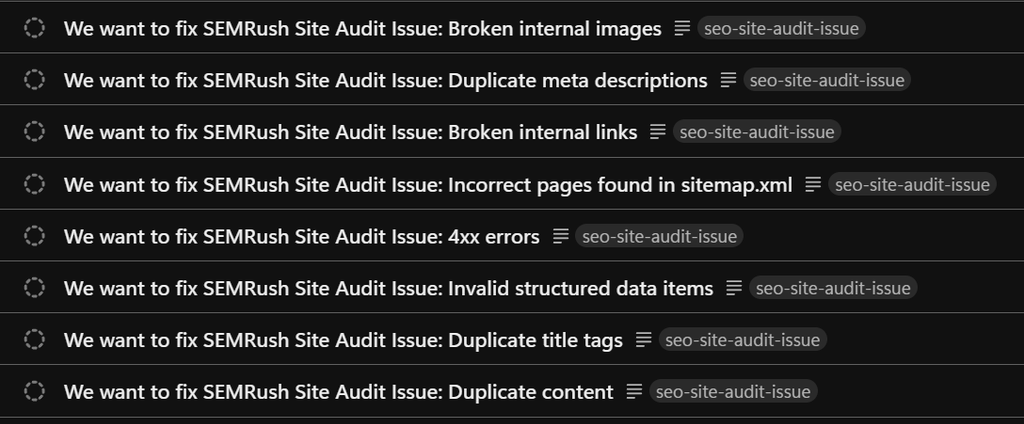
Run regular site audits across your public URLs to find broken images, dead links, redirect chains, and other technical problems. Pair those audits with visual reviews of older page layouts. A crawl can flag a missing image; a person needs to check whether an older landing page still looks and works as intended.
For our clients, we run regular site audits and use Zapier to send the findings into our project management software. Those findings become tasks in our scrum backlog, where we prioritize them for upcoming sprints as capacity becomes available. That gives us a repeatable way to move from identifying a problem to scheduling the work needed to fix it.
After completing the work, check the affected pages to confirm the fixes. When a problem appears across multiple pages, fix its source in the template or publishing process so it stops recurring.
Keep Business And Technical Information Current
Make accuracy part of the maintenance schedule. Your services, offers, pricing, product references, and technical recommendations change over time. Someone with the right knowledge needs to review those details and bring older pages into line with what your company offers and recommends today.
Content that describes a service you no longer provide or recommends a retired product undermines the experience even when the page loads perfectly. Keeping information current requires input from the people delivering your services as well as the people managing your website.
We cover related content problems in our article on Google spam updates and B2B tech. The ongoing maintenance process is how you address those problems across your own site.
How We Maintain Our Own Content
We built a content maintenance process for the Tortoise and Hare Software website to address these problems. An agent checks for content older than 18 months and creates a review task in our project management software when it finds a piece that needs attention.
The task includes an initial recommendation: keep, delete, partial refresh, or full refresh. That gives us a starting point for deciding whether the page still serves its purpose, needs a few targeted updates, or deserves a complete rewrite. The 18-month threshold puts older content back on our radar and gives our team a clear queue of pages to review.
This process helps us keep our advice and offers current across the content library. Older pages return to our task queue for a deliberate review instead of relying on someone to notice a problem.
Build Quality Into Website Maintenance
A holistically good website comes from ongoing care. Put someone behind the wheel, give them a process for reviewing content and current information, and support that process with regular technical audits. The standard you set for your homepage should extend to the rest of your public website.
At Tortoise and Hare Software, we use our search engine optimization services and content marketing services to help tech firms build and keep a useful presence in search. If you’ve been improving core pages while the rest of the site goes untouched, it’s time to widen the review.
Ready to bring your whole website up to a higher standard? Book a free consultation to discuss your website and which changes to make first.
About The Author