Soft 404 Errors: What They Mean And How To Fix Them
Are you getting notifications from Google about soft 404 indexing errors? You open the affected URL, the page loads, and nothing seems obviously wrong. Well, a page that loads for you can still look broken to Google. A soft 404 means Google thinks the URL shows missing content or an error. Your website hasn’t returned the right response for it.
The first thing I’d look at is which URLs are affected. An active service page excluded from search needs attention. An old page you’ve removed needs different handling. Here’s how to tell the difference and choose the right fix.
What Is A Soft 404 Error?
A soft 404 is Google’s assessment that a page appears to be missing, empty, or displaying an error. A common example is a URL that says “Page not found” but returns a 200 OK HTTP status code. That code tells browsers and search engines the request worked. The content tells them the page doesn’t exist.
A standard 404 sends a 404 Not Found response. A soft 404 isn’t a separate status code your server sends. Google looks at the response and the content it gets. It then reports the issue in Search Console. Pages classified as soft 404s are excluded from Google Search, as explained in Google’s soft 404 guidance.
Imagine you retire an MSP service page. The old URL displays your logo, navigation, and a friendly “This page is no longer available” message. That’s useful for visitors. But if the server still returns 200 OK, its response and content tell different stories. Your custom error page can keep its branding and helpful links while returning a proper 404.
What Causes Soft 404 Errors?
The problem usually comes down to missing content or the wrong response for the page. Common causes include:
- A custom error template returns 200 OK for URLs that don’t exist.
- Main content fails to load. A broken script or template may be the cause.
- A database or application failure displays an error instead of the page’s content.
- An empty search or filter page has a URL Google can crawl, but no useful results.
- Removed URLs redirect to the homepage or another unrelated destination.
WordPress sites can run into this when a theme or plugin changes how missing pages are handled. A page can also look fine to you while Googlebot gets an incomplete version. If the header and footer load but the service description doesn’t, Google may see a nearly empty page. Check what Google received before adding more copy to a page that already has useful content.
When Do Soft 404 Errors Need Attention?
Prioritize URLs you want prospects to find: active service pages, product pages, location pages, and useful blog posts. If your managed cybersecurity page is excluded, it can’t attract visitors through its own Google listing. That’s more pressing than an empty search-results URL that was never meant to rank.
A sudden increase across similar pages deserves attention too. If several service pages share a template and all start showing soft 404 errors, look for a shared cause. Fixing the template or restoring a missing resource can address multiple URLs at once. Our MSP website optimization guide covers the broader relationship between a working website and lead generation.
When Can A Soft 404 Be Low Priority?
An empty internal search page or a retired article may have little immediate business impact. You don’t need to turn every excluded URL into an indexed page. I recommend fixing important content first, then correcting how your site handles retired and empty URLs. Once a removed page returns a proper 404 or 410, it should stay out of search.
How To Fix Soft 404 Errors
Choose the fix based on what the URL should do. Decide whether the content belongs there before changing its response.
| Page Situation | Appropriate Fix |
|---|---|
| The page should still exist. | Restore the main content or repair the loading failure. Serve the working page with a 200 OK response. |
| The content moved or has a relevant replacement. | Use a 301 permanent redirect to the replacement page. |
| The page is permanently removed with no relevant replacement. | Return a 404 Not Found or 410 Gone response. |
Don’t redirect every missing URL to your homepage. Someone looking for a specific service or article may not find what they need there. Google identifies homepage redirects as another source of soft 404 problems. Use a redirect when the destination genuinely replaces the old content.
For a working WordPress page, focus on the content Google can access. Repair broken templates, database errors, or missing resources that leave the page blank. If the same issue affects a whole group of pages, fix the shared cause. Keep your internal links and sitemap pointed at the current URLs you want people to find.
How To Review Soft 404 Errors In Search Console
Open Google Search Console and select your website’s property. Go to Indexing → Pages, then find Soft 404 in the “Why pages aren’t indexed” table. This is a separate reason from “Not found (404).”
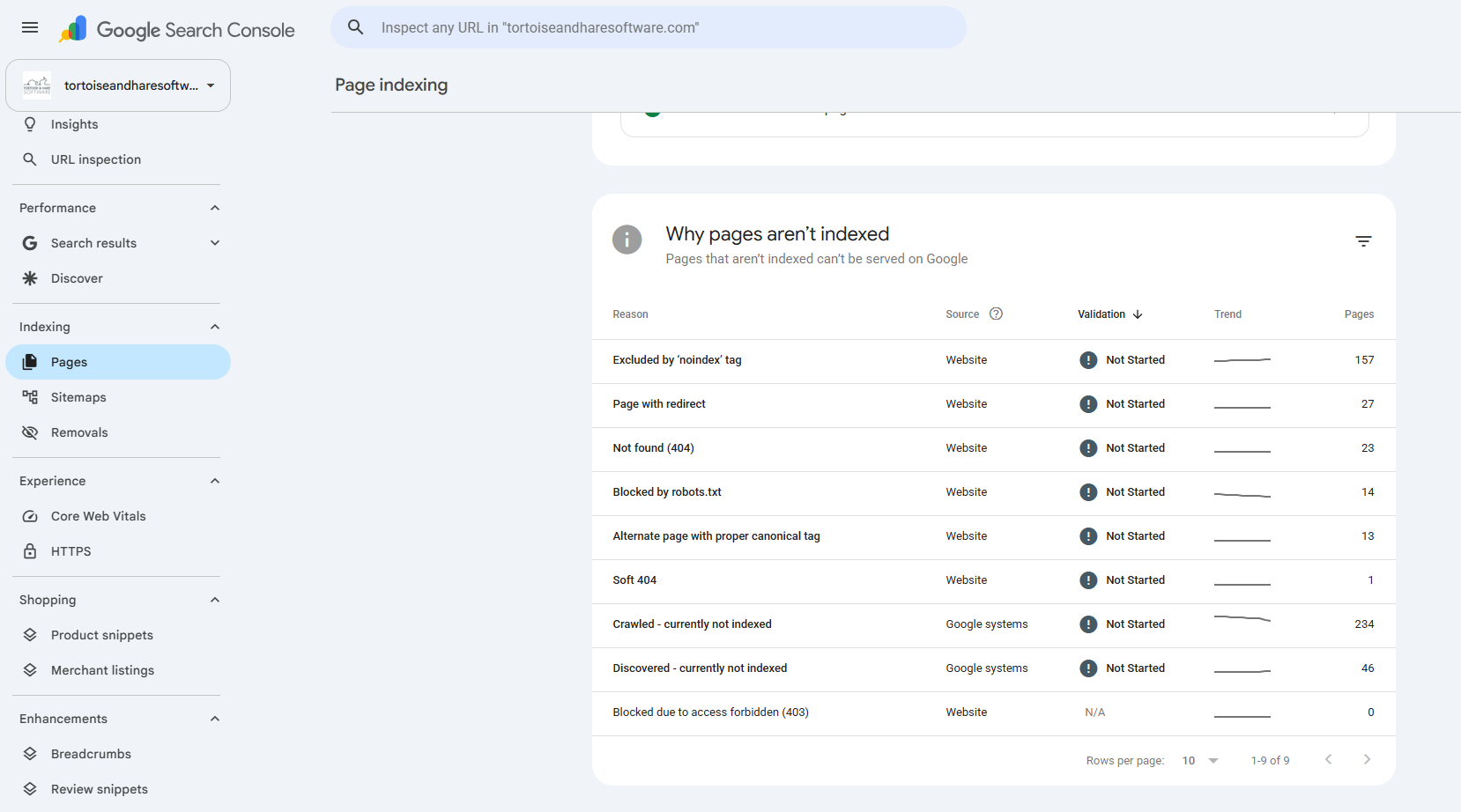
Open the Soft 404 report and scroll to the example URLs. Select an affected URL and use URL Inspection to review what Google found. If the page should exist, examine the rendered content and response. Look for a missing service description or a large error message. These can explain why a page that opens in your browser stays out of search.
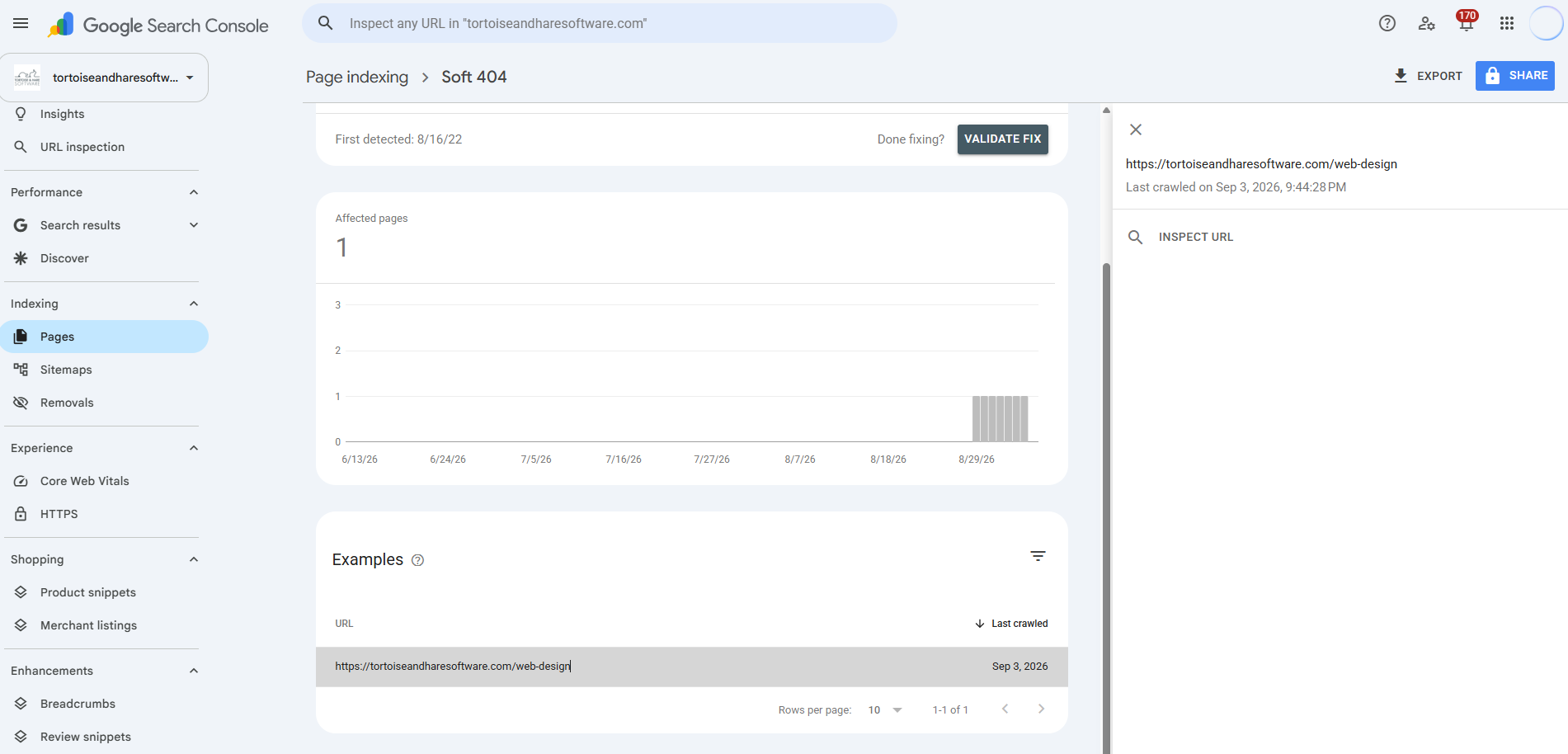
After fixing the issue, use a live test in URL Inspection to check the page. Request indexing for restored content you want in search, and use Validate Fix in the report after addressing the affected URLs. Google’s Page indexing report guide explains these controls. If your provider needs access to investigate, follow our guide to granting Search Console access.
Keep Your Important Pages Available In Search
Don’t spend hours trying to get a deleted page indexed again. Focus on the URLs your business still needs, repair their content or response, and handle retired pages properly. Google gives you three paths. Restore the page, send users to a relevant replacement, or return a proper not-found response.
If important pages are stuck outside search, our technical SEO services can help you identify the cause and prioritize the fixes. Ready to get your useful content back in front of prospects? Book a free consultation.
About The Author