Granting Access To Google Search Console
In this post we’ll show a brief overview of how to grant access to Google Search Console to a 3rd party marketing provider.
What Is Google Search Console?
Google Search Console is a product that allows you to get visibility into the search engine performance of your website as Google sees it. It allows you to do things like:
- Submit sitemaps to Google
- View indexing status of pages
- View search queries your pages are ranking for
- View how high your content is ranking for queries
- View data on mobile friendliness of your website
- View data on your core web vitals
- View enhancements for structured data your website has
- View backlinks and internal links your website has
- Check for penalties or security issues
- And more!
Why Do We Need Access To Google Search Console?
Google search console acts as the source of truth for how your website is performing in the eyes of Google to a level far better than any 3rd party tool can do. We use Google Search Console to analyze the performance of your website on search engines and make recommendations to you on how your performance can be improved.
Granting Access To Google Search Console To a 3rd Party
In many cases our clients don’t even have Google Search Console connected so the first step is often to claim their domain in Google Search Console. You must do this before you can grant a 3rd party access to your domain property.
Claiming Your Domain In Google Search Console
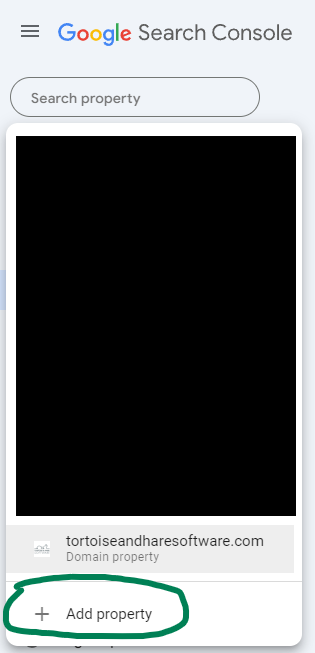
Go to https://search.google.com/search-console/ and add a property from the top left.
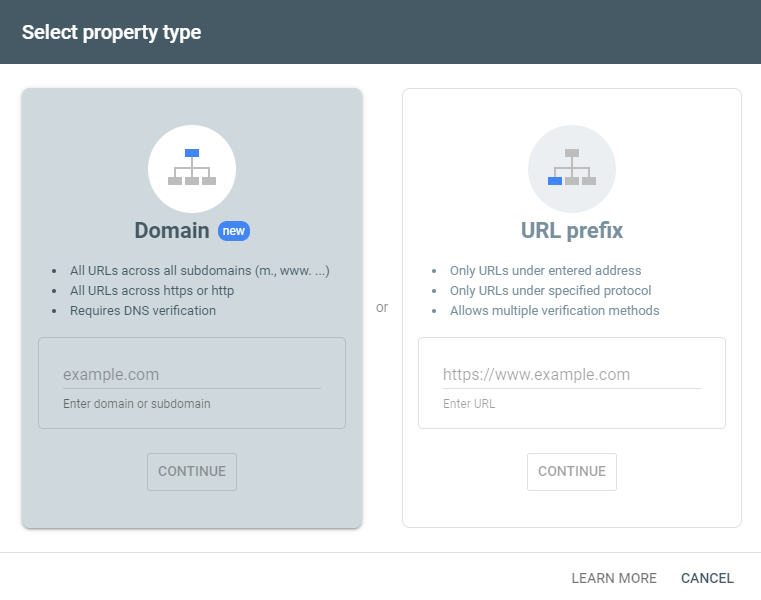
Add in a property, make sure to add your property as a domain property, this will let you get access to http and https versions of your query data in one consolidated view.
Your domain can verify through a number of methods and may auto verify, but you will most likely need to do a manual domain ownership verification via a TXT record in your DNS. On the next screen you’ll be given the ability to retrieve your TXT record or verify through a more simplified method for certain hosting providers like GoDaddy.
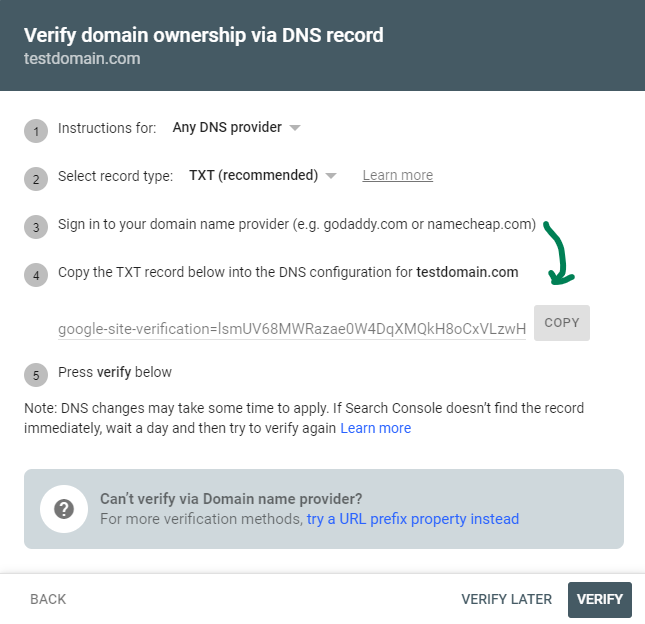
Adding a DNS TXT record varies greatly depending on who your domain provider is. GoDaddy is one of the most common domain registrars – we use Kinsta. It’s usually just a simple copy paste of the Google Site Verification TXT record into the DNS of your registar.
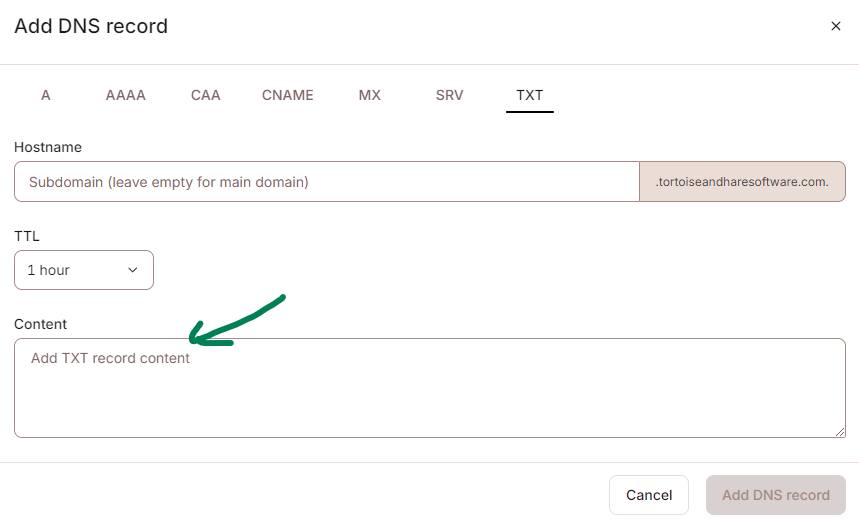
From there you can return to the search console window and click the verify button to verify your domain. Note that it may take some time for the addition of the TXT record to propagate on the web, up to 48 hours, but usually 5-10 minutes is all it takes.
Adding A User To Search Console
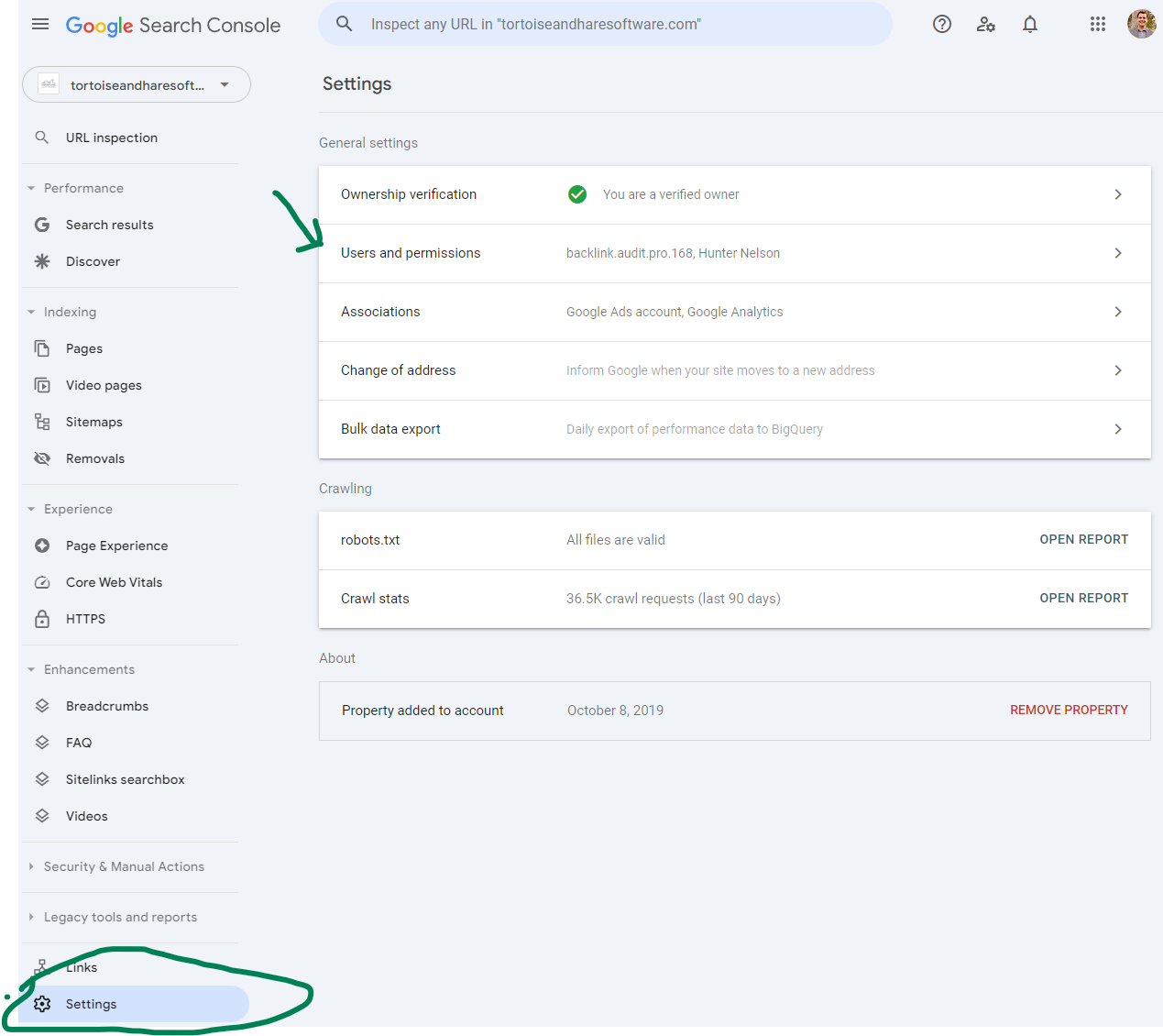
Once you’ve claimed your domain in Search Console the next step is to add a user. Return to https://search.google.com/search-console/. Choose your newly verified domain property and scroll down to the settings on the left hand side. Then click on User and Permissions.
Next click the Add User button and add a new user by their Google account. You will typically provide full permissions to a 3rd party marketing provider.
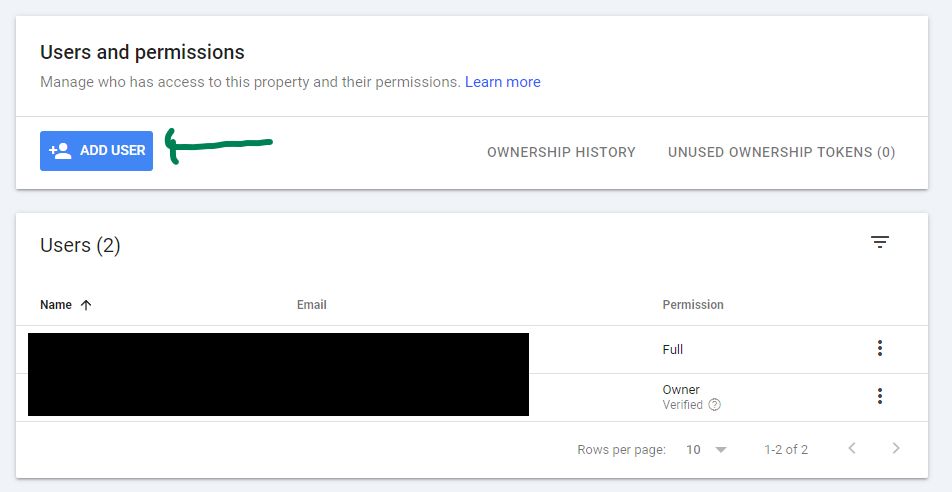
That’s it, your done!
Conclusion
Google search console is an essential tool to monitor, maintain, and analyze the performance of your website on Google. Granting access to your 3rd party marketing provider is an essential step toward helping them assist you with those activities. In this post we gave you a brief overview of search console and showed you how to claim your domain and grant access to your agency.
About The Author