Granting Google Ads Access To A Manager Account
In this post we provide a brief overview of Google Ads manager accounts and how to grant access to them.
What Is A Google Ads Manager Account (MCC Account)?
Google Ads manager accounts, also known as MCC accounts are bulk management accounts that allow agencies and other bulk management partners to access and manage multiple accounts via one login.
More information on manager accounts here.
Why Do You Need To Grant Access To Our Manager Account?
Granting access allows us to manage your Google Ads account on your behalf. We have bulk management features such as negative keyword lists, scripts, display placement exclusion lists, and other features tied to our manager account that we use to provide service.
Granting Access To A Manager Account
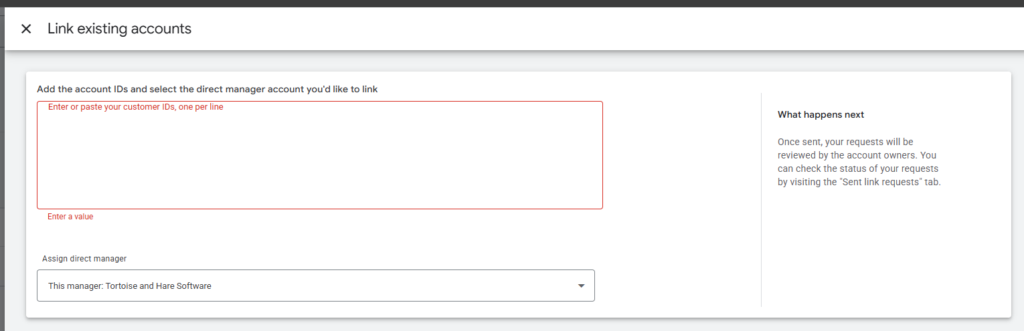
When signed in to your Google Ads account you can find your account ID in the top left next to the account selection drop down. Highlight and copy this account ID and send it to us in an email.

From there we will submit a linking request for this account ID to you. (We do this part on our end)
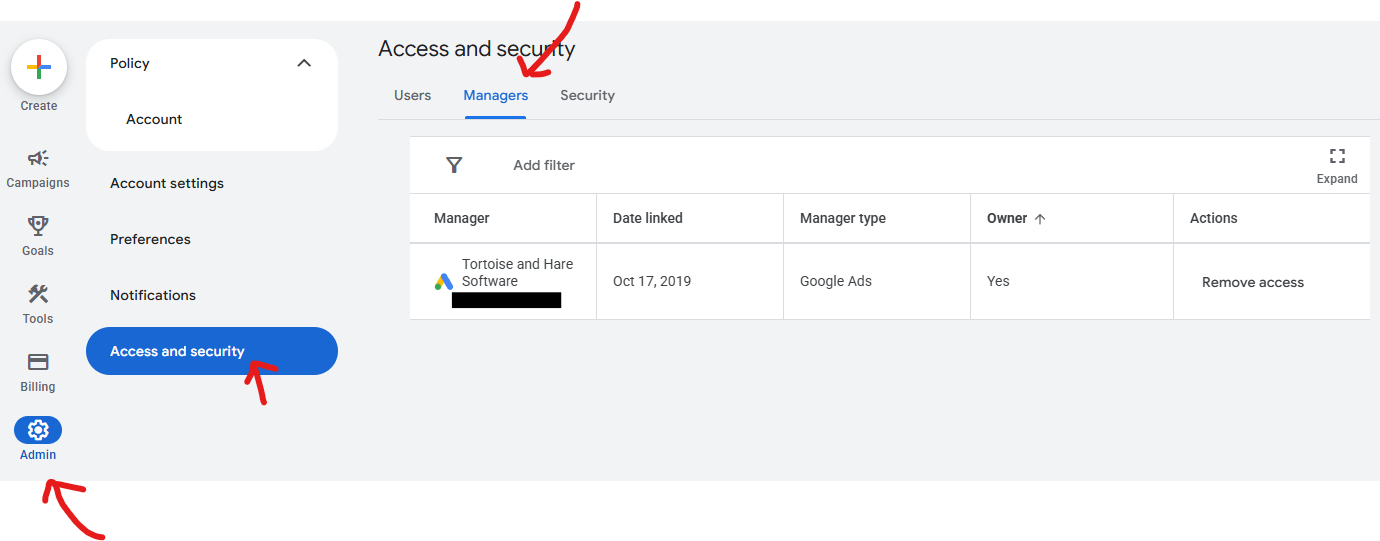
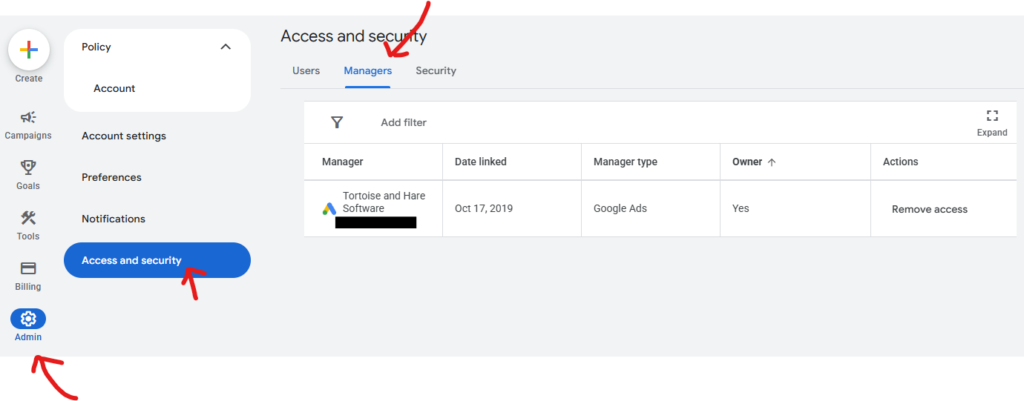
Once we send you the linking request, you should get an email allowing you to approve it via the click of a button. However if you don’t see it the manager account linking requests typically show up in Admin > Access and Security > Managers Tab. The requests will show up here if you have one pending.
Conclusion
In this post we provided a brief overview of what Google Ads manager accounts are, and how to link a manager account to your Google Ads account so we can manage your account on your behalf.
About The Author